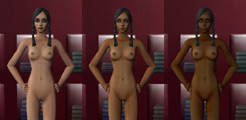
Nude Sims 2
If you just want the nude patch, download "See Them" Mod to remove the blur then get the nude skins here. Or for an even better sexperience in the Sims 2 read the update below. (Absolute newbie questions in green at the bottom of page)
01.20.09 Update:
I've been meaning to do this for a while now. In spite of The Sims 3 coming out soon, I wanted to show any of you who are sill unenlightened to some really excellent sex mods for The Sims 2 and just how to go about gettin some.
Want to see these sex animations, natural woman bodyshapes, and more in action? Go to Sex Machinima to watch Sims Sex Videos
Tutorial for Sims 2 nudes , various bodyshapes and sex objects
If you don't want detailed help and want to seek out the good stuff on your own here are some links, otherwise read on in orange below.
http://www.sexysims2.com
http://www.backalleysims.com
http://www.insimadult.org
http://www.simbology.com
http://www.insimenator.org
http://www.modthesims2.com (little to no erotic content but included for completeness sake)
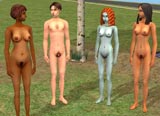
The sexiest nude skins are actually not skins, but meshes that change the bodies of your female sims. This allows for a wide array of breast sizes, baby got back butts, nice wide hips, etc., and erect penises for males. But let's start with the girls.
You download the mesh sets for all the body sizes, and they come with compatible nude skins that wrap around the meshes. Got it? Good.
Warlokk created all the different size meshes (adult and teen) over a period of years and has them all packaged in one place. Click below and download all the files (Meshes and skintones). These are only nudes (will work as default nudes when in the shower etc, and as clothing if you choose)
Warlokk's Hi-Res Female BodyShape COMPLETE Nude Collection (you don't need to download the two fixes)
Warlokk's guide to installing these.
Note that there are both Nat(ural) and Enh(anced) breasts for real and silicon appearances.
Also these are only white skin tones. You could create other skin tones via the tutorial at the bottom of Warlokk's page, or find ones created for these meshes. Here are what I've found:
34C Enh skintones for Warlokk's mesh - has all colors for this particular bodyshape size.
Classic Pinup Look - I would recommend the PinUp meshes, also created by Warlokk as there are a lot of skins and clothing sets created for this particular mesh size.
Various Navetsea skins for Warlokk's other bodytype meshes
If you get the meshes along with the linked skintones, you should see some variety. To have showerproof sims bodies, choose the asterix as skintone and you should see some other colors in there. Just remember which body type you're going with and then choose corresponding clothing (more on that later)
Modified Navetsea Default Replacement Skins - has all colors and made to fit Warlokk's meshes, but as far as I can tell you can't use these as nude default for any of the Warlokk meshes other than light skintone. If you aren't using the meshes these are very nice skin tones for default nude/shower/etc.
There are also 'Outfits' which are basically clothing sets that fit the meshes. When creating your sims you have to choose corresponding sizes manually. For example if you choose a 34DD/38 hip mesh for default, then choose the same size clothes, if you want a smooth transition from clothed to nude and vice versa. Best to use the link below to grab clothing for these new meshes:
Here's an organized link set of all the various bodyshapes and outfits (use the mts2 links)
(Link to Warlokk's forum for Hi-Res Bodyshapes (note that the original non hi-res are still available but outdated)
And for the guys, we have a penis that gets erect:
Download Skaarjy's Crammyboy penis Redux and
Make it look more realistic with this texture
Now the really fun stuff
These are the best (IMO and highly regarded by those in the community) sex objects that allow your sims to fuck, masturbate, etc:
Sux McNutty's Sinful Shower - all manner of sex interactions in the shower
These are self-explanatory:
The White Rabbit Vibrator
Willie Wanker's Masturbation Chair
Sux McNutty's Blowjob Chair
Shaklin's Lovebed - Sex interactions in a looooove bed
The Inteeminator, allows your teen Sims to get pregant. I think.
Teen Woohoo Mods
And there are plenty more to be found at the various Sims adult forums I've linked to throughout. Enjoy and stay tuned for the inevitable adult mods for The Sims 3!
Detailed process for basic nude skins:
First, remove the blur:
There are several ways to do this.
First try the "See Them" Mod v2.3 or this mod here (more info) which should be as far as you need to go to remove the blur. It works easily with all version of The Sims 2, including all expansions (Open for Business), and it claims to work for all future expansions. Download here. It will put censor.package in your downloads directory, so leave it there! Or uninstall with this program.
Here are some alternatives:
The Night Life Expansion uncensor patch
The original uncensor patch applies to your main game .exe.
Extract to Program Files\EA GAMES\The Sims 2\TSBin
You could also use this cheat (ctrl shift C to enable) to turn off the blur which may not work in Night Life:
'intprop censorgridsize 0'
To turn on:
'intprop censorgridsize 8'
me if any of these options are obsolete (with latest patches etc)
|